
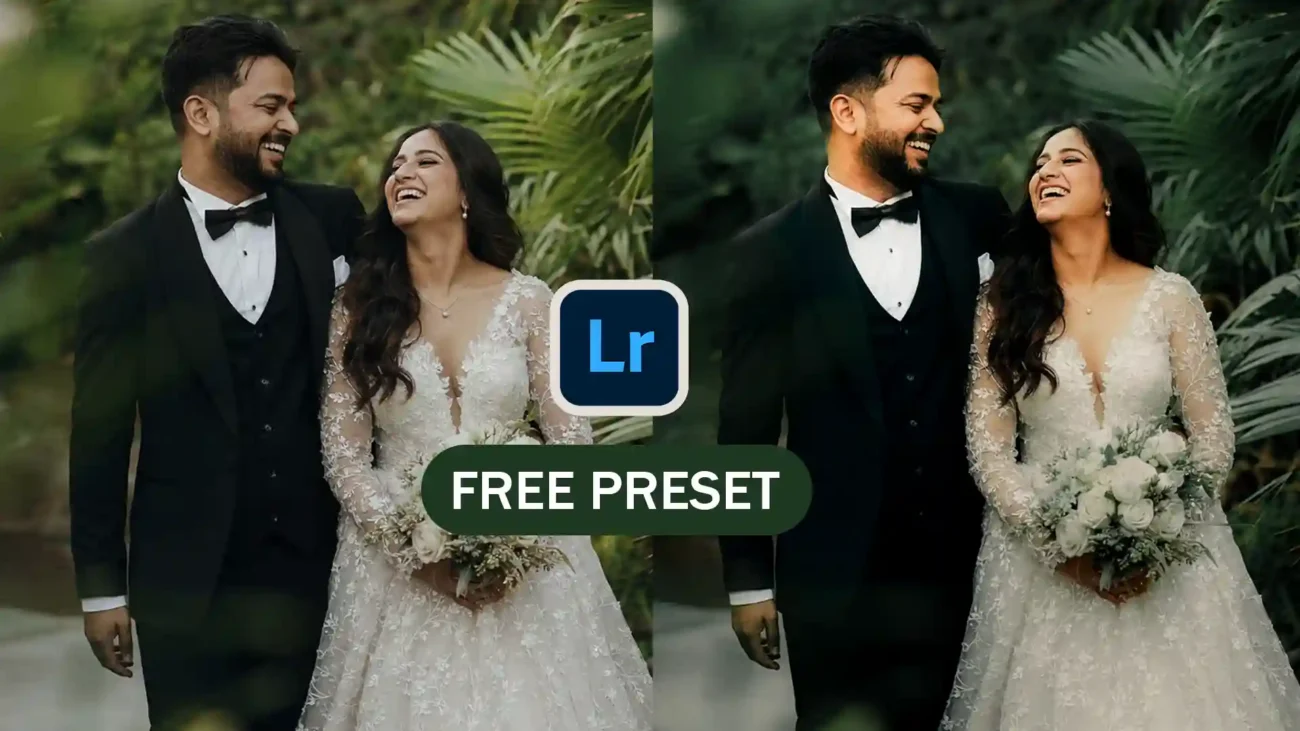
Give your wedding and couple photos a rich cinematic look with this FREE Lightroom Preset designed especially for pre-wedding shoots, wedding portraits, engagement photography, and luxury couple edits.
The thumbnail above showcases the before and after transformation after applying the preset. The edited version features deeper greens, cinematic contrast, moody shadows, glowing skin tones, and a premium luxury feel that instantly makes your photos stand out.
About This Preset
This preset is crafted for photographers and creators who love:
- Cinematic wedding tones
- Dark green luxury aesthetics
- Rich contrast with soft skin tones
- Emotional and romantic mood edits
- Premium outdoor portrait color grading
With just one click, your images get a professional wedding-film style finish.
What Changes After Applying the Preset?
Before Applying
- Flat natural colors
- Less dramatic mood
- Basic outdoor lighting
- Simple green tones
After Applying
- Deep cinematic green background
- Rich luxury contrast
- Smooth and warm skin tones
- Enhanced wedding dress details
- Emotional romantic atmosphere
- Premium film-like appearance
The preset creates a modern luxury wedding style while keeping the image natural and elegant.
Perfect For
This preset works best for:
- Wedding photography
- Pre-wedding shoots
- Couple portraits
- Engagement sessions
- Bridal photography
- Outdoor photoshoots
- Reception portraits
- Instagram wedding content
- Cinematic reels & edits
Preset Features
- Free Download
- Lightroom Mobile Compatible
- Lightroom Desktop Compatible
- One-click professional edit
- Beginner-friendly
- Fully adjustable settings
- Works on RAW & JPG images
Why Photographers Love This Preset
Wedding photographers often spend hours color grading outdoor photos to achieve that cinematic luxury look. This preset helps speed up the process while maintaining a professional result.
It especially enhances:
- Green outdoor backgrounds
- Black tuxedos and dark outfits
- White wedding gowns
- Romantic natural lighting
- Skin tone balance
The final result feels like a high-end destination wedding film.
How to Install the Preset
- Download the preset file
- Open Adobe Lightroom
- Import the preset into Lightroom
- Select your photo
- Apply the preset in one click
- Fine-tune exposure if needed
That’s all — your image is instantly transformed into a cinematic masterpiece.
Download Free Lightroom Preset
Get the preset now and start creating luxury wedding edits with beautiful cinematic tones.
[Download Free Preset]