
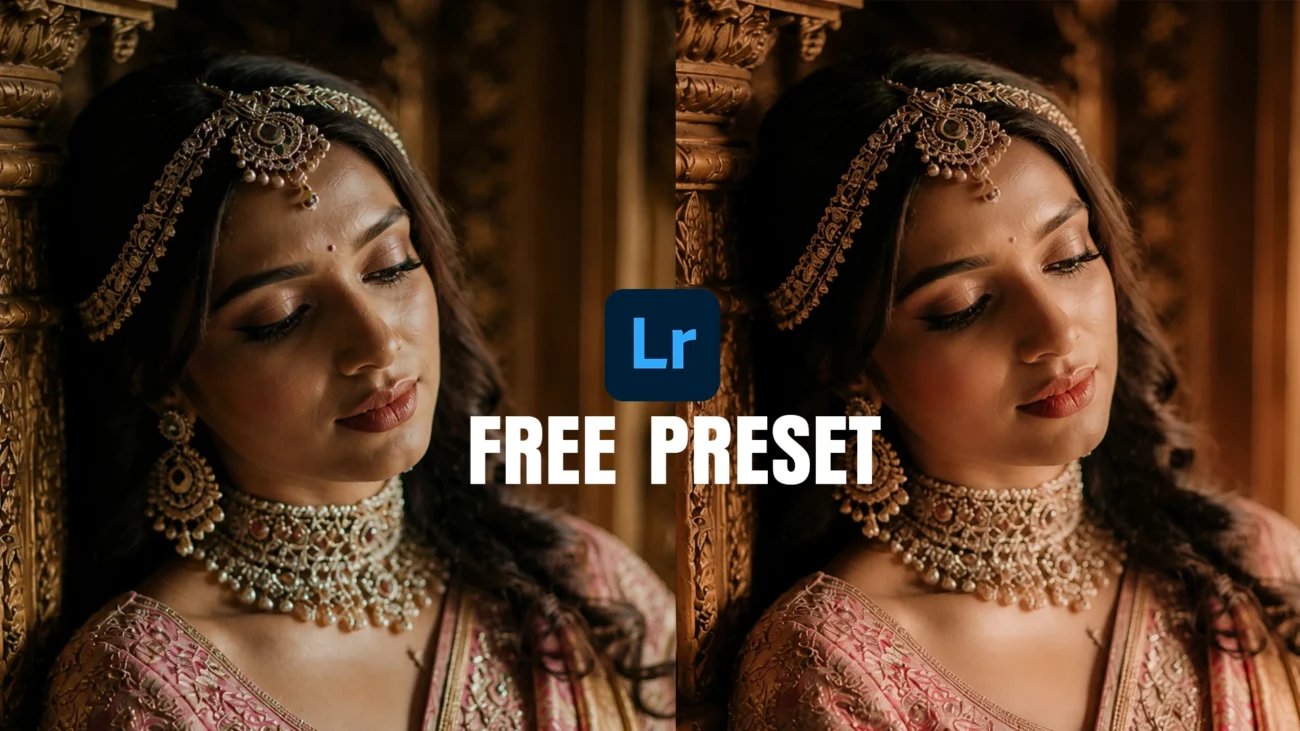
Wedding photography is all about emotion, elegance, and timeless colors. If you love warm cinematic edits with rich skin tones and luxury bridal mood lighting, this free Lightroom preset is made for you.
This preset is specially designed for:
- Bridal portraits
- South Indian wedding photography
- Reception photography
- Indoor wedding lighting
- Couple portraits
- Luxury editorial edits
The color tones focus on warm gold highlights, soft shadows, natural skin texture, and rich cinematic depth to create a premium wedding look.
Why This Preset Looks Premium
Most free presets either oversaturate skin tones or create unrealistic colors. This preset is carefully balanced for professional wedding photography.
Features
- Warm cinematic tones
- Natural bridal skin color
- Rich gold highlights
- Soft luxury contrast
- Moody shadow depth
- Mobile and desktop compatible
- One-click editing workflow
It works especially well for:
- Saree portraits
- Bridal jewelry shots
- Temple wedding photography
- Low-light indoor wedding images
- Golden hour couple sessions
Before and After Transformation
This preset transforms flat wedding images into luxury cinematic portraits with:
- Better skin glow
- Cleaner tones
- Professional warmth
- Elegant shadow balance
- Rich wedding mood
You can achieve a high-end editorial wedding look without spending hours color grading manually.
Lightroom Preset Compatibility
Supported Applications
- Lightroom Mobile
- Lightroom Classic
- Adobe Lightroom Desktop
File Format
.XMP Preset File
Device Support
- Android
- iPhone
- Windows
- Mac
How to Install the Preset
Lightroom Mobile
- Download the preset file
- Open Lightroom Mobile
- Import the preset DNG/XMP file
- Copy settings
- Paste settings onto your photo
Lightroom Desktop
- Open Lightroom
- Go to Presets Panel
- Click Import Presets
- Select the
.XMPfile - Apply preset to your image
Best Photos for This Preset
This preset works best on:
- Warm lighting photos
- Bridal closeups
- Wedding portraits
- Traditional Indian wedding photography
- Indoor cinematic shots
For best results:
- Slightly underexposed RAW images work beautifully
- Use soft lighting for premium skin tones
- Avoid extremely cool white balance images
Free Download
Download Cinematic Bridal Lightroom Preset
Create luxury wedding edits with warm cinematic colors and professional bridal skin tones.
Included
- Free
.XMPpreset - Mobile support
- Desktop support
- High-quality cinematic tone