
Posted in

Ultra Photorealistic Holi Portrait Using Gemini AI (Step-by-Step Prompt Guide)

How to Create an Ultra Photorealistic Holi Portrait Using Gemini AI

Holi is one of the most vibrant festivals in India — a celebration of colors, joy, and energy. With AI image generation tools like Gemini AI, you can now create ultra-realistic Holi portraits that look like professional DSLR photography.

In this blog, I’ll show you:

  • ✅ The exact Gemini AI prompt

  • ✅ How to use uploaded photos for accurate face match

  • ✅ How to get ultra photorealistic HD output

  • ✅ Tips to improve lighting, skin tone, and color splashes

Let’s get started.
About Holi Festival

Holi is known as the Festival of Colors. It celebrates love, positivity, and the arrival of spring. The throwing of gulal (colored powder) creates beautiful motion-filled visuals — perfect for ultra-realistic AI portraits.

Gemini AI Prompt for Ultra Photorealistic Holi Portrait Here is the exact prompt you can copy and use in Gemini AI:

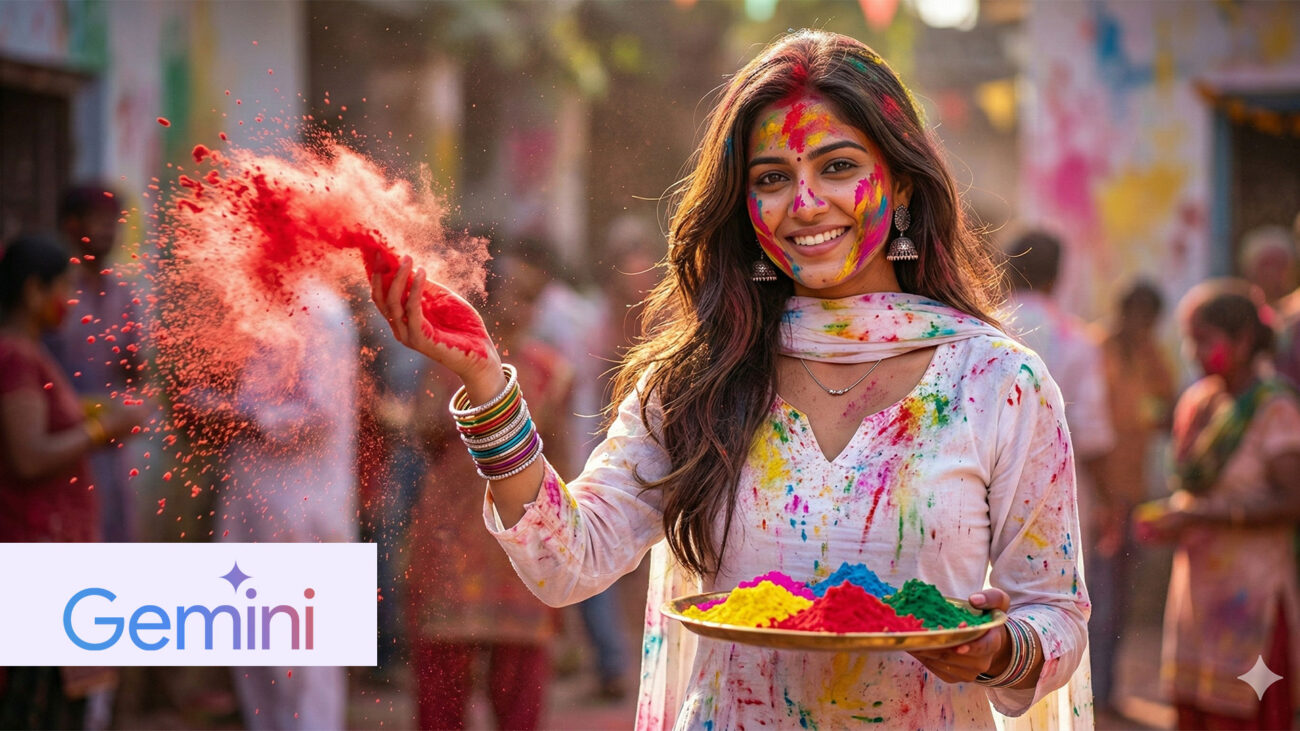
Create an ultra photorealistic HD portrait image of this girl in a Holi celebration scene. She wears a white V-neck full-sleeves kurti with dupatta, silver jhumka earrings, bangles, and a delicate necklace. Her hair is dark brown, long, and flowing naturally. She is holding a plate of red, yellow, blue, green, and pink gulal. She throws red powder with her right hand while looking slightly tilted toward the camera with a soft smile. Color splashes appear on her face, dress, and surrounding environment. Ensure accurate face match with the uploaded photo. Natural daylight, cinematic lighting, shallow depth of field, ultra-HD 8K detail, realistic skin texture, DSLR photography style.

How to Use This Prompt in Gemini AI

Step 1: Open Gemini AI

Go to Google Gemini image generation interface.

Step 2: Upload the Reference Photo

Upload the girl’s image to ensure accurate facial match.

Step 3: Paste the Prompt

Copy the above prompt and paste it into the input box.

Step 4: Generate the Image

Click generate and wait for the AI to process the photorealistic Holi portrait.

Why This Prompt Works

This prompt is powerful because it includes:

1️⃣ Detailed Outfit Description

White V-neck kurti + traditional accessories create cultural authenticity.

2️⃣ Color Specification

Specifying red, yellow, blue, green, and pink gulal ensures vibrant results.

3️⃣ Action-Based Description

“Throws red powder with her right hand” adds motion realism.

4️⃣ Lighting & Camera Details

Terms like:

  • Ultra photorealistic

  • HD / 8K

  • DSLR photography style

  • Shallow depth of field

  • Cinematic lighting

These increase realism.

Pro Tips to Improve Realism

If you want even better output, add:

  • “Natural skin pores visible”

  • “Golden hour lighting”

  • “Wind-blown hair motion”

  • “Festival crowd blurred in background”

  • “High shutter speed powder freeze effect”


These small additions make your AI portrait look like professional festival photography.

Leave a Reply

Your email address will not be published. Required fields are marked *