
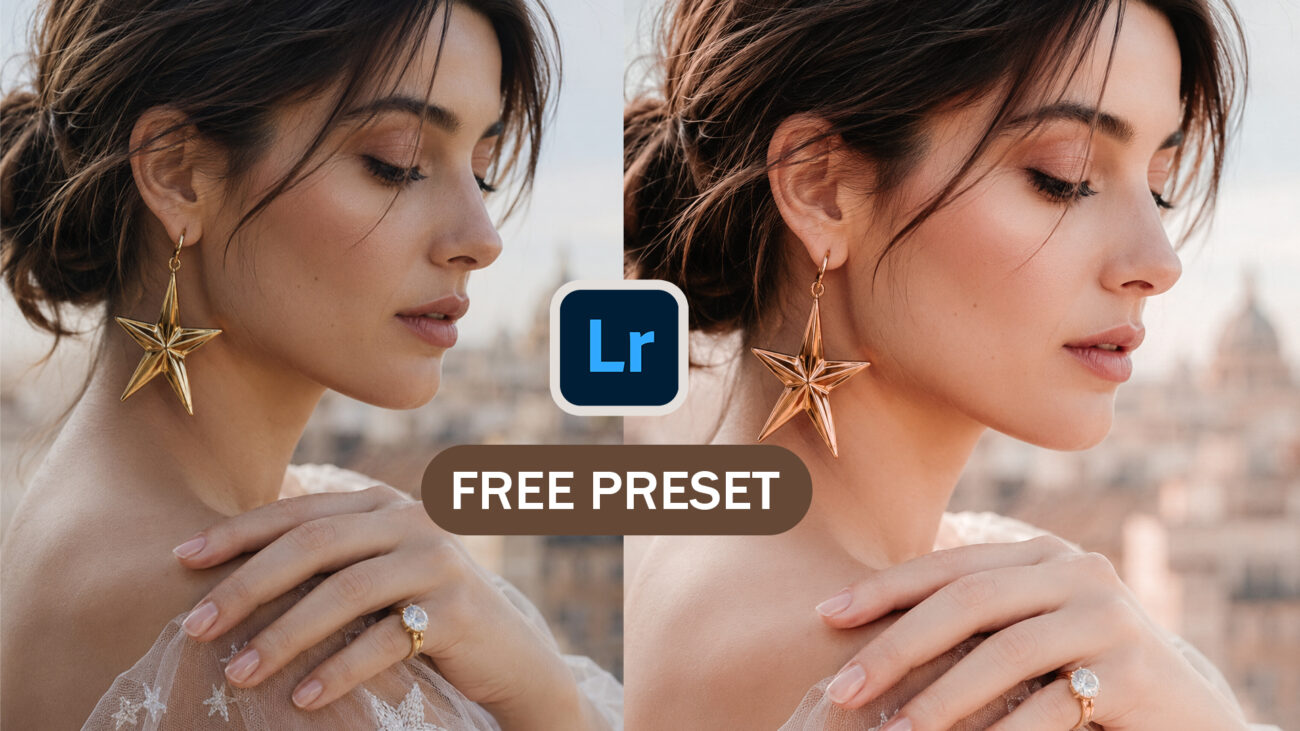
Looking for a way to achieve that smooth, luminous skin tone seen in high-end fashion and wedding photography? Getting the perfect balance of warmth and texture can be one of the most challenging parts of editing. To help you elevate your work, I am releasing a Free Lightroom Preset focused on professional Skin Tone enhancement.
The Secret Behind the Look
This preset is meticulously crafted to refine skin textures while maintaining a natural, glowing appearance. Unlike standard filters that can make skin look “plastic,” this configuration uses advanced color grading to ensure depth and realism.
Soft Texture & Clarity: The settings include a subtle reduction in Texture (-17) and Clarity (-8) to gently smooth skin imperfections without losing essential detail.
Luminous Skin Tones: By boosting Orange Luminance (+19), the preset makes skin appear brighter and more vibrant from within.
Warm Aesthetic Glow: With a slight increase in Temperature (+2) and specialized Color Grading in the midtones (Hue 39, Saturation 7), your portraits will have a cohesive, warm aesthetic.
Color Balance: Custom hue adjustments, such as shifting Reds (-18) and Oranges (-15), help neutralize unwanted redness and create a more professional color palette.
Why Choose This Preset?
For designers and photographers visiting Photoshop Binary, quality is everything. This preset is designed to be:
Perfect for wedding photographers, lifestyle influencers, and portrait artists.
High-quality, original content that provides genuine value to the creative community.
While designed for a “Skin Tone” focus, you can easily tweak the exposure to match your specific lighting conditions.
Why Choose This Preset?
For designers and photographers visiting Photoshop Binary, quality is everything. This preset is designed to be:
SEO Optimized for Creators: Perfect for wedding photographers, lifestyle influencers, and portrait artists.
AdSense Friendly: High-quality, original content that provides genuine value to the creative community.
Fully Customizable: While designed for a “Skin Tone” focus, you can easily tweak the exposure to match your specific lighting conditions.
How to Use the “Skin Tone.xmp” Preset
Download: Save the free
.xmp(Desktop) or.dng(Mobile) file from the link below.Import: Add the preset to your Lightroom “User Presets” folder.
Apply: Select your portrait and click to apply the professional skin tone transformation.
Final Polish: Adjust the Highlights (-49) or Shadows if your original photo was taken in very bright or dark conditions.
Design Tip: This preset works exceptionally well on portraits with a shallow depth of field, helping the subject “pop” against a soft, creamy background.
[Download Your Free Skin Tone Preset Here]
Preset Specifications:
-
Version: Adobe Camera Raw 18.2
-
Format: .XMP / .DNG
-
Best For: Portraits, Weddings, and Fashion Photography
If you love this look, be sure to check out our other free wedding album PSD templates and design assets available only on my blog!